

CSP builder, generate a CSP from violation reports
The CSP builder writes a Content Security Policy for your website from the CSP violation reports browsers sent, then grades it before you deploy it.
Last update:
The CSP builder writes a Content Security Policy (CSP) from your own CSP reports. You pick the reports to learn from, start from your current policy or from the CentralCSP baseline, decide which reported sources to allow, and copy the headers.
The builder lives under each website, in the sidebar, as Builders > Content-Security-Policy. Every website role can use it.
The builder reads CSP violation reports, so it needs a plan that collects them. On other plans the page shows The CSP builder is not in your plan. Compare plans, or go to Settings > Billing to change yours.
Review every value, and deploy in report-only first
The builder suggests values from what browsers reported, and its defaults keep everything your pages load today, including risky values and scripts you may not recognize. Review the values before you deploy a new policy, starting with the risk flags and the script sources you do not know. A policy from the API or the MCP tool applies the same defaults with no review, so check it the same way.
Always deploy a new policy with the Content-Security-Policy-Report-Only header first. Switch to Content-Security-Policy only once a week or more of reports shows that nothing your pages need would be blocked.
What the CSP builder produces
The builder ends with two response headers, ready to paste into your server or content delivery network (CDN) configuration. A Reporting-Endpoints header points reports at your website's CentralCSP endpoint. A Content-Security-Policy-Report-Only header carries the policy, or Content-Security-Policy once you switch to enforce mode.
Before you copy them, the builder grades the policy with the same analysis as the CSP evaluator. Every risky value carries a severity in the review table, so you see what a value costs before you allow it.
The builder does not save or deploy anything. It gives you the headers, and you add them to your site. Each TXT export is recorded in the audit log.
How it works
The builder works in four steps. Each step reuses the answer of the one before it.
- Period: Choose which days of reports to learn from, up to the last 30.
- Starting policy: Start from the policy your site already sends, as the builder detected it in the reports, or from the CentralCSP baseline.
- Review sources: Add or reject each value. Every source browsers reported starts decided for you, and noise such as browser extensions starts rejected.
- Deploy: Pick report-only or enforce mode, copy the headers, and read the grade.
The defaults keep what your pages load today. A reported value stays added even when it weakens the policy. The builder flags it and tells you how to remove it later instead.
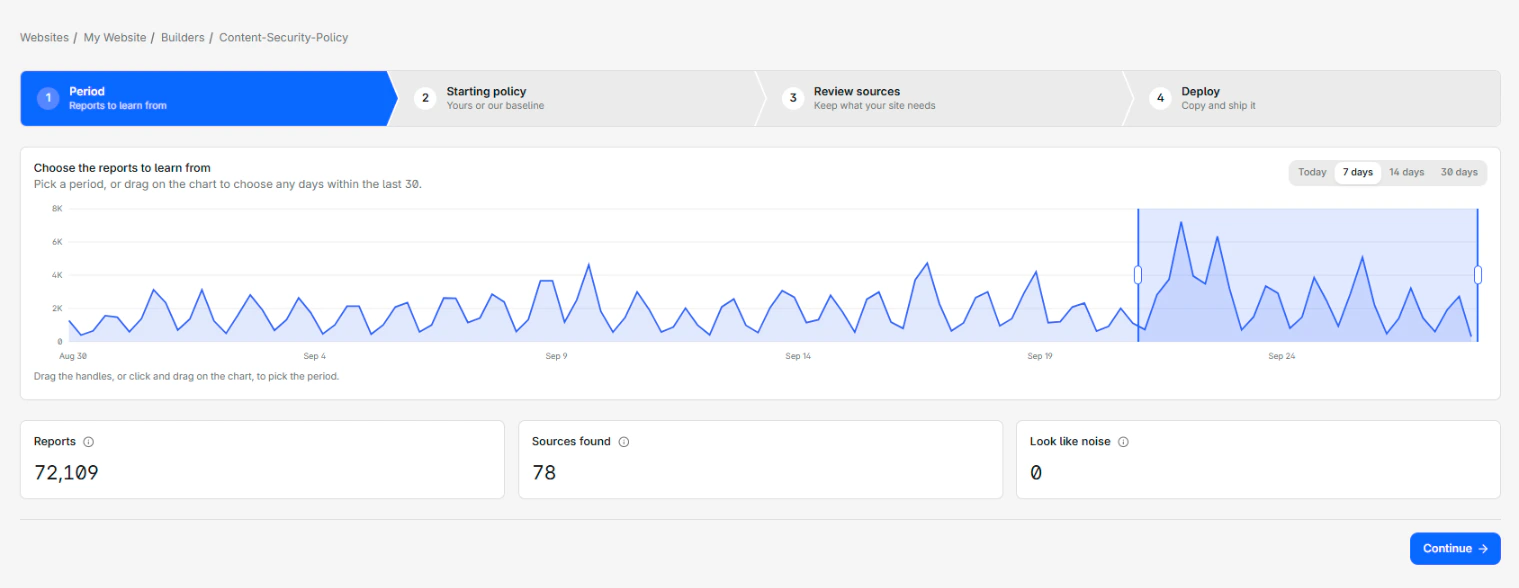
Where the data comes from
The builder reads the CSP violation reports your website already collects. Every blocked or reported resource becomes a value you can allow in its directive. A host becomes its origin, your own site becomes 'self', and blocked inline code or eval() becomes the keyword that would allow it.
The reports also show which policies your site serves. The builder lists up to six of them as starting points, and marks the one it believes is live.
For how the builder picks values, flags noise, and detects your policy, refer to Builder decision rules.
Use it from the API and the MCP server
The REST API builds the same policy without the wizard. The Build a recommended CSP endpoint takes an optional period and an optional starting policy, and returns the policy as a header value, ready to send with a Reporting-Endpoints header. It applies the same defaults as the dashboard, with every non-noise source added and noise left out. Refer to the API reference.
The Model Context Protocol (MCP) server exposes that endpoint as the build_recommended_csp tool. An AI client can build a policy and then grade it with analyze_csp_policy.
Next steps
Overview
The CSP builder, PCI DSS script controls, the script inventory built from hash reports, the Technologies SBOM with CVE detection, and alerting on what changes.
Get started
Build a Content Security Policy from your reports with the CSP builder. Pick a period and a starting policy, review sources, then deploy in report-only mode.