

frame-ancestors
frame-ancestors decides who may embed your page in an iframe. Values ('none', 'self', hosts, wildcards), why it fails in a meta tag, and tested examples.
Last update:
The frame-ancestors directive controls which origins are allowed to embed the
current page inside a
<frame>,
<iframe>,
<object>, or <embed>. It is the modern defense against clickjacking, where an
attacker loads your page in a hidden frame on their own site and tricks a user
into clicking something they cannot see.
Note that this directive is about who can frame you, the reverse of
frame-src,
which controls what your page is allowed to load into its own frames. To choose
between this directive and the older header, and to migrate from one to the
other, read
X-Frame-Options vs frame-ancestors.
Prevent any site, including your own, from framing the page:
Content-Security-Policy: frame-ancestors 'none'Fallback chain
frame-ancestors has no fallback.
default-src
does not cover it, so a page with no frame-ancestors can be framed by anyone.
Values
frame-ancestors takes a source list of origins. Nonces and hashes do not apply,
they describe content, not an embedding origin.
| Value | Status | Description |
|---|---|---|
'none' | ✅ Good | No origin may embed the page, including the same origin. |
'self' | ✅ Good | Only the page's own origin may embed it. |
| Host or scheme source | ✅ Good | Allows the listed host source or scheme source to embed the page, for example a partner domain. |
You can list several ancestors. When the embedding chain does not match, the
browser refuses to render the page in the frame. Avoid a wildcard or a bare
scheme like https:, which lets any site frame your page and reopens the
clickjacking risk; list only the specific origins that have a real reason to
embed you.
Relationship to X-Frame-Options
frame-ancestors is the successor to the legacy
X-Frame-Options
header, and it is more expressive. The mapping is direct:
| X-Frame-Options | frame-ancestors equivalent |
|---|---|
DENY | frame-ancestors 'none' |
SAMEORIGIN | frame-ancestors 'self' |
ALLOW-FROM uri (obsolete) | frame-ancestors https://partner.example |
Where a browser supports both, frame-ancestors takes precedence over
X-Frame-Options. X-Frame-Options could never list more than one allowed origin
and its ALLOW-FROM form was dropped, so frame-ancestors replaces it. You can
still send X-Frame-Options alongside for very old clients, but frame-ancestors
is the control that matters today. If you cannot set a CSP header at all, see
when you cannot set a CSP header below, and
for the wider cleanup, which legacy headers to remove.
Examples
Allow only same-origin framing:
Content-Security-Policy: frame-ancestors 'self'Allow a specific partner to embed the page:
Content-Security-Policy: frame-ancestors 'self' https://partner.example.comThe Content Security Policy directive 'frame-ancestors' is ignored when delivered via a <meta> element
That is the warning Chrome and Edge print in the console when a page declares
frame-ancestors in a meta tag:
<meta http-equiv="Content-Security-Policy" content="default-src 'self'; frame-ancestors 'none'">The Content Security Policy directive 'frame-ancestors' is ignored when delivered via a <meta> element.The CSP specification excludes three directives from <meta http-equiv>
delivery: frame-ancestors,
report-uri
and sandbox.
Chromium skips each of them with the same message, built from the directive
name, and applies the rest of the meta policy. In the example above,
default-src 'self' is enforced and the framing rule is gone, so any site can
still embed the page. The warning is the only sign: the policy looks present in
the markup, but it gives no clickjacking protection.
The fix is to move the directive to a response header. You do not need to move
the whole policy for that: a page can carry several policies, and the browser
enforces each of them. A header that holds only frame-ancestors works next to
a meta CSP that holds everything else:
Content-Security-Policy: frame-ancestors 'self'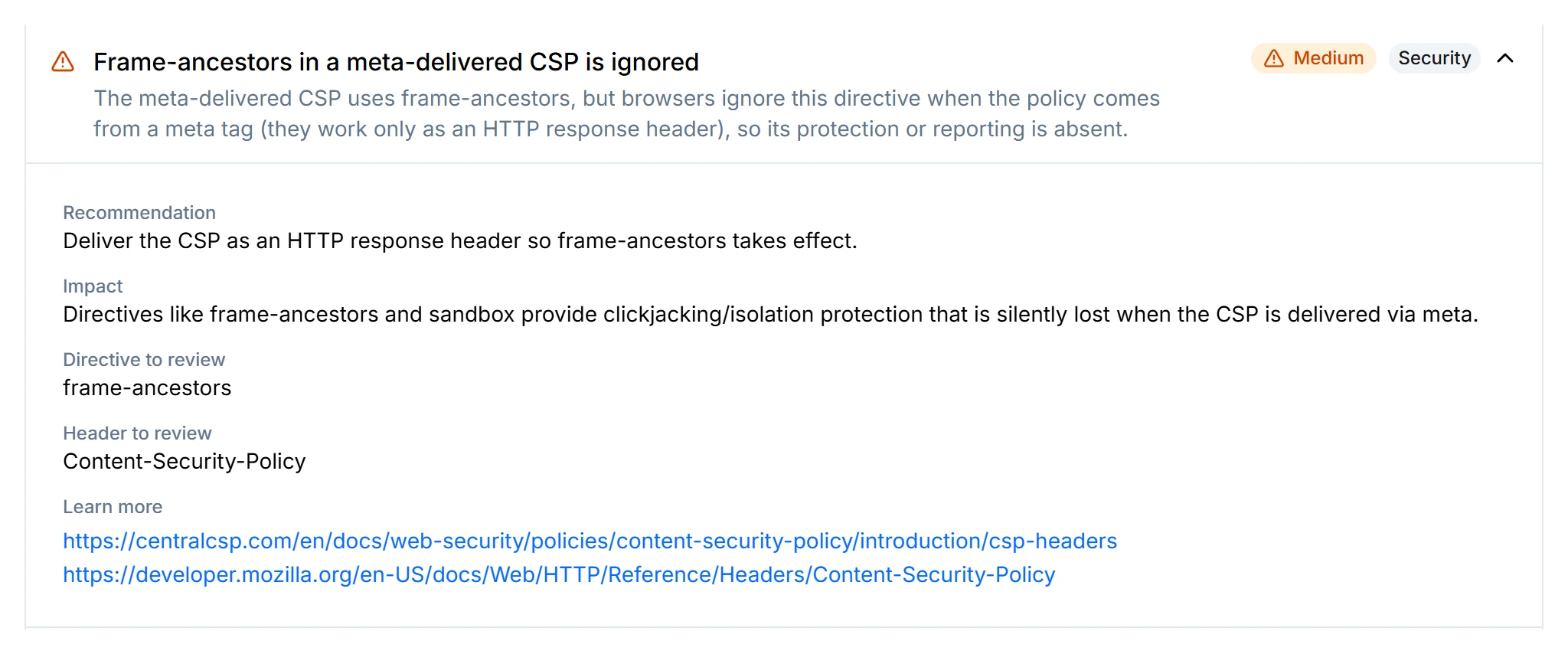
When you cannot set a CSP header
Some hosts, site builders and CDNs do not let you set an arbitrary
Content-Security-Policy header. Match the fix to what you actually control.
| What your host lets you set | What to send | What you get |
|---|---|---|
| Any response header | Content-Security-Policy: frame-ancestors ..., alone or in your full policy | Full control: 'none', 'self', named partners, wildcards, reports |
| A fixed list of security headers, without CSP | X-Frame-Options: DENY or SAMEORIGIN | No framing, or same-origin framing only. No named partners, no reports |
Only markup (<meta> tags) | Nothing works | No framing protection. frame-ancestors is ignored in meta, and X-Frame-Options has no meta equivalent |
Three things to know about the middle row:
X-Frame-Optionscannot name another site. If a partner needs to embed you, you needframe-ancestors, so you need a real CSP header.- Never fall back to
X-Frame-Options: ALLOW-FROM. Browsers that do not recognize the value ignore the whole header, which leaves the page framable by anyone. - Once you can send
frame-ancestors, keepX-Frame-Optionsnext to it for old clients. An enforcedframe-ancestorstakes precedence, so the two never conflict.
If you only control markup, no tag can stop framing. Get one header configured somewhere in front of the page: the platform's header settings, a reverse proxy, or an edge worker. Then confirm what the deployed response really carries with the security headers scanner, since a meta policy and a missing header look the same from the markup.
Security notes
frame-ancestors works only as an HTTP response header, as explained above. Set
it in your server or edge configuration, on every document that can be framed.
The directive blocks clickjacking. In a clickjacking attack the victim's browser loads your real, logged-in page in a transparent frame layered over attacker content, so a click the user thinks lands on the attacker's button actually lands on your page (confirming a transfer, changing a setting, granting a permission). By restricting who may frame the page, you stop the page from rendering inside an attacker's document at all, which removes the attack surface.
Known bypasses and risks
frame-ancestors only governs framing. It does nothing about other navigation or
script behavior, so it is one control among several in a complete policy. It also
relies on the response actually carrying the header on every framed document, a
page served without it from some path or cache can still be framed, so apply it
consistently across the site.
Setting frame-ancestors 'none' on a page that is supposed to be embedded (a
widget, an OAuth consent screen, a documentation snippet) breaks that embedding.
Decide per page whether it should ever be framed, and by whom, then set the
directive to match. Run the policy through the
CSP evaluator to confirm the value is what you intend.
Recommendation
Ship frame-ancestors 'none' on pages that are never meant to be embedded, or
'self' if you frame your own pages, per the OWASP CSP cheat sheet.
Content-Security-Policy: frame-ancestors 'none'X-Frame-Options: DENYThe OWASP HTTP Headers cheat sheet
recommends sending X-Frame-Options: DENY alongside for old clients;
frame-ancestors takes precedence wherever both are supported.
Reporting
When the directive blocks a framing attempt, the browser emits a
csp-violation report
naming frame-ancestors as the effective directive. Wire delivery with the
report-to directive
and the Reporting-Endpoints header.
To test a value before you enforce it, send it in
Content-Security-Policy-Report-Only. Unlike a meta tag, a report-only header
does carry frame-ancestors: the browser checks every ancestor and reports the
ones that do not match, without blocking the page. A report-only
frame-ancestors does not turn off X-Frame-Options, though. Chromium skips
X-Frame-Options only when an enforced policy contains frame-ancestors.
Browser support
frame-ancestors is part of CSP Level 2 and Level 3 and is widely supported
across current browsers. Where supported it supersedes X-Frame-Options.
FAQ
Should I use X-Frame-Options or frame-ancestors?
frame-ancestors is the modern, more expressive successor to X-Frame-Options,
and it wins wherever both are supported. Send both: frame-ancestors as the
control that matters today, and X-Frame-Options: DENY alongside for very old
clients. See the full comparison in
X-Frame-Options vs frame-ancestors.
Can I set frame-ancestors in a meta tag?
No. frame-ancestors works only as an HTTP response header. In a <meta http-equiv> CSP the browser ignores it, the same as sandbox and report-uri,
and Chromium logs "The Content Security Policy directive 'frame-ancestors' is
ignored when delivered via a <meta> element". Set it in your server or edge
configuration on every framed document. A header carrying only
frame-ancestors is enough, even if the rest of the policy stays in a meta tag.
How do I protect against clickjacking without a CSP header?
Send X-Frame-Options: DENY, or SAMEORIGIN if your own pages frame each other.
It cannot allow a named partner site. If you can only edit markup, there is no
protection available until you can set at least one response header.
frame-ancestors 'none' or 'self'?
'none' blocks all framing, including same-origin, so use it on pages that are
never meant to be embedded. 'self' allows only the page's own origin to frame
it, so use it when you embed your own pages. Any other origin listed must have a
real reason to embed you.
See also
- X-Frame-Options header
- frame-src
- sandbox
- default-src
- X-Frame-Options vs frame-ancestors, which to use
- Which legacy headers to remove
Sources
- MDN, CSP frame-ancestors
- MDN, X-Frame-Options
- W3C, Content Security Policy Level 3
- W3C, CSP Level 3, meta element delivery exclusions
- Chromium, content_security_policy.cc (meta delivery warning)
- Chromium, ancestor_throttle.cc (frame-ancestors and X-Frame-Options)
- OWASP, Clickjacking Defense Cheat Sheet
- OWASP, HTTP Headers cheat sheet
form-action
form-action limits where forms can submit, blocking injected forms that steal credentials or card data. 'self', payment hosts, redirects, examples.
report-uri
report-uri is deprecated, and browsers that support report-to ignore it. Syntax, report format, how to send both, and where to collect CSP reports.