

Connection allowlist
Connections your pages attempted outside the allowlist. Build the list from observed traffic, then narrow it. A permissive list is a record, not a control.
Last update:
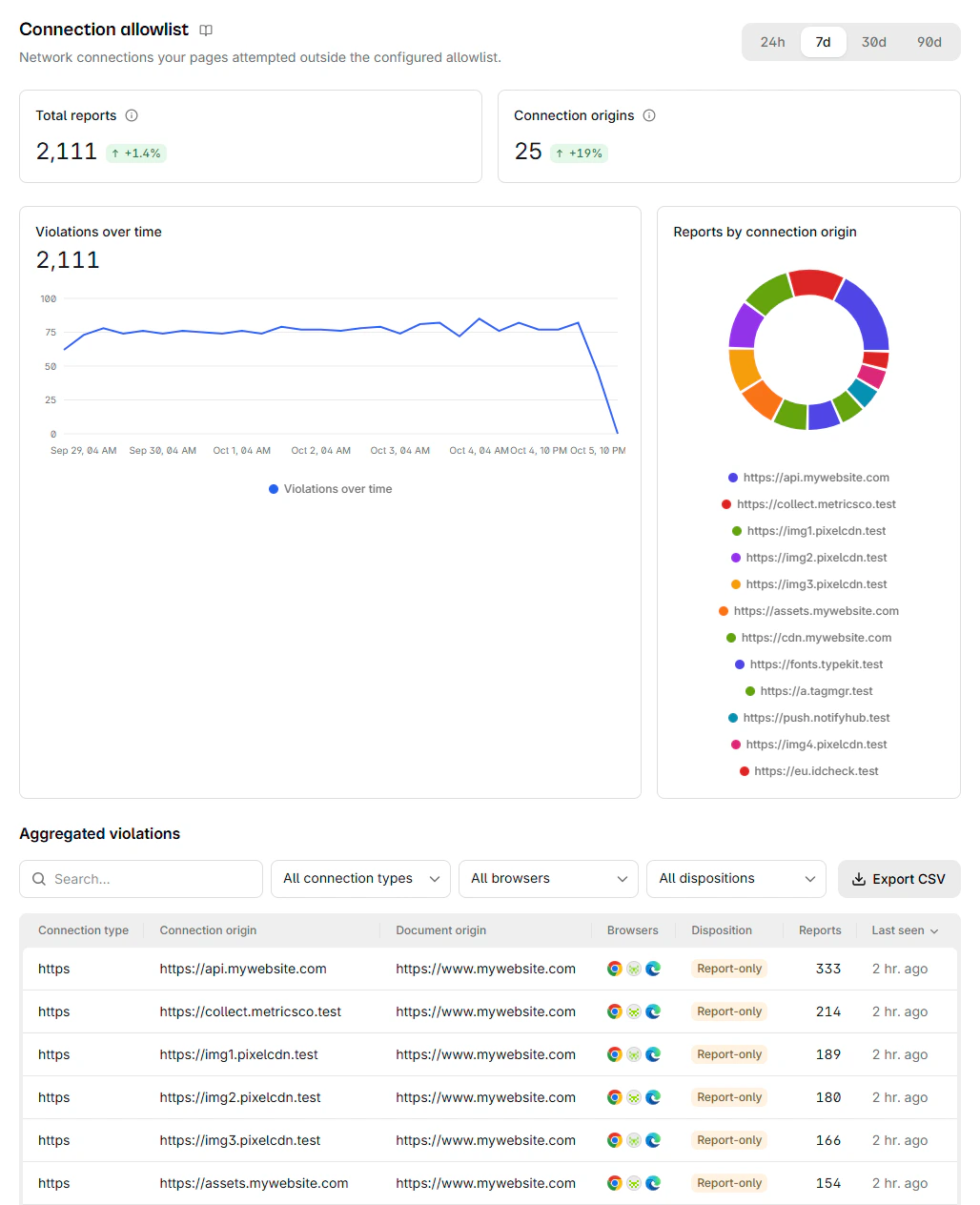
This page lists connection attempts that fell outside your allowlist. Where CSP is expressed in resource types and directives, this looks at the connection itself, which catches outbound connections a connect-src review can miss.
Blocked connections are grouped by connection type and destination origin:
Columns
The report table has these columns:
| Column | What it means |
|---|---|
| Connection type | The scheme of the blocked URL, such as https, or webrtc for a WebRTC connection |
| Connection origin | The origin of the blocked URL, or webrtc |
| Document origin | The origin of the page that attempted it |
| Browsers | Browsers that reported it |
| Disposition | Enforced means blocked, Report-only means it would have been |
| Reports | Reports collapsed into this row |
| Last seen | Most recent occurrence |
The toolbar narrows the table with a search field, which matches the connection and document origins, and three filters:
- All connection types shows HTTPS, HTTP, or WebRTC connections only. A WebSocket or WebTransport connection counts as HTTPS or HTTP, the scheme the browser reports it under.
- All browsers shows the reports of one browser.
- All dispositions shows enforced or report-only reports.
Selecting a row opens its details, with each full blocked URL and the page that attempted it. Browsers send the allowlist that was in force only with WebRTC reports, so the Allowlist field is empty for every other connection.
Read the rows
These rows need a second look:
- A WebSocket shows as
https. The browser reports awss:connection under itshttps:URL. To allow it, list thehttps:origin, never awss:one. Refer to WebSocket destinations. - Your own origin shows as a destination. Your list allows your own origin through
response-origin. A report that names it usually means the browser blocked a redirect. With redirects blocked, the browser reports the URL the page requested, not where the redirect led. - Counts run high on navigations. Chrome sends two identical reports for each blocked navigation, iframe, popup, and
preconnect. Read Reports as a relative signal, not as an exact count of attempts.
Build the list from traffic
Start in report-only and let the reports define the list rather than guessing it. Run it across a normal business cycle, at least one week, so periodic connections appear. Month-end flows and other rare jobs are the ones a short window misses, so extend the period if your site has them.
Then narrow. An allowlist permitting everything currently observed is a record, not a control. The value is in the entries you decide not to include.
The Connection-Allowlist builder, under Builders > Connection-Allowlist, turns these reports into a starting list, with one entry per destination origin and a single *. pattern for a site with three or more reported subdomains.
What to look for
Your first-party API and known vendor endpoints are the bulk of any healthy list. The rare entries matter most. Look for an origin nobody recognizes, a destination that appeared after a third-party update, or traffic from a page that should not reach anything external.
Payment pages first. A connection from checkout to an origin outside your allowlist is the pattern data exfiltration produces, and it is what the PCI DSS client-side requirements target.
Vendor update or injection
They look the same at first glance. Two things separate them: whether the change coincides with a vendor release you can independently confirm, and whether the destination resolves to infrastructure that vendor actually operates.
If neither checks out, treat it as an incident rather than a configuration gap.