Connection Allowlists, a network egress sandbox in the browser
CentralCSP Team ·
Last update:
Most client-side defenses try to stop bad code from running. Connection Allowlists
take the opposite angle: assume the code runs, and make sure it has nowhere to send
your data. A new browser header lets a page declare the exact set of destinations it
is allowed to connect to, and the browser blocks every other outgoing connection,
through any channel. A leak through a font request is treated as seriously as one
through fetch.
Update, October 2026
Chrome turns Connection Allowlists on by default from Chrome 152, after an origin trial from Chrome 148 to 151. Firefox and Safari do not implement it, and the spec is still a WICG draft. Run it in report-only first, and keep CSP connect-src for other browsers.
The problem it solves
A Content Security Policy stops most injected scripts from executing. But a script
that does run, a compromised dependency, a rogue tag, AI-generated code you did not
review, can still phone home: post stolen form data to an attacker origin, open a
WebSocket, or smuggle bytes out in an image URL. Controlling that egress with CSP
means juggling connect-src, img-src, font-src, and more, each a separate
directive, and even then CSP cannot cover WebRTC or redirects cleanly.
Connection Allowlists reframe the problem around the destination, not the request type. You list where the page may connect, and the browser denies everything else at the network level.
How it works
You send a Connection-Allowlist response header listing the destinations the page
may reach. Anything not on the list is blocked, including fetch, WebSocket, WebRTC,
navigation, redirects, and subresource loads.
Reporting-Endpoints: connection-endpoint="https://<Endpoint-ID>.report.centralcsp.com"Connection-Allowlist: (response-origin "https://*.example.com" "https://cdn.example"); report-to=connection-endpointEach entry is a URL Pattern,
so subdomains and wildcards use that grammar. The response-origin token adds the
serving origin automatically. Two things are blocked by default and you opt back in
only if you need them: redirects (redirects=allow) and WebRTC (webrtc=allow),
both common exfiltration paths. Blocking redirects stops every redirect, even one
that stays on your own origin, so test your sign-in and payment flows.
List a WebSocket destination with https:, not wss:. The browser checks a
WebSocket as its https: URL, so a wss: entry never matches.
The full header syntax, values, and the report payload are in the Connection-Allowlist reference.
Roll it out in report-only first
Just like CSP, there are two headers, and you start with the report-only one so a too-strict list reports instead of breaking the page.
Connection-Allowlist-Report-Only: (response-origin "https://*.example.com"); report-to=connection-endpointThe browser blocks nothing and sends a
connection-allowlist report
for every connection it would have blocked. Collect those from real traffic, confirm
each blocked destination is either one to add or one you are glad to deny, then move
the policy to the enforcing Connection-Allowlist header.
How it compares to CSP connect-src
This is not a CSP replacement. The
connect-src
directive is stable and works in every browser. Connection Allowlists add a
Chromium-only layer. It is one deny-by-default policy that spans every request type
and uses URL Pattern syntax. It also covers WebRTC and redirects, which connect-src
does not.
Ship a strong CSP, then add Connection Allowlists in report-only to see where the
egress layer would help.
Where CentralCSP fits
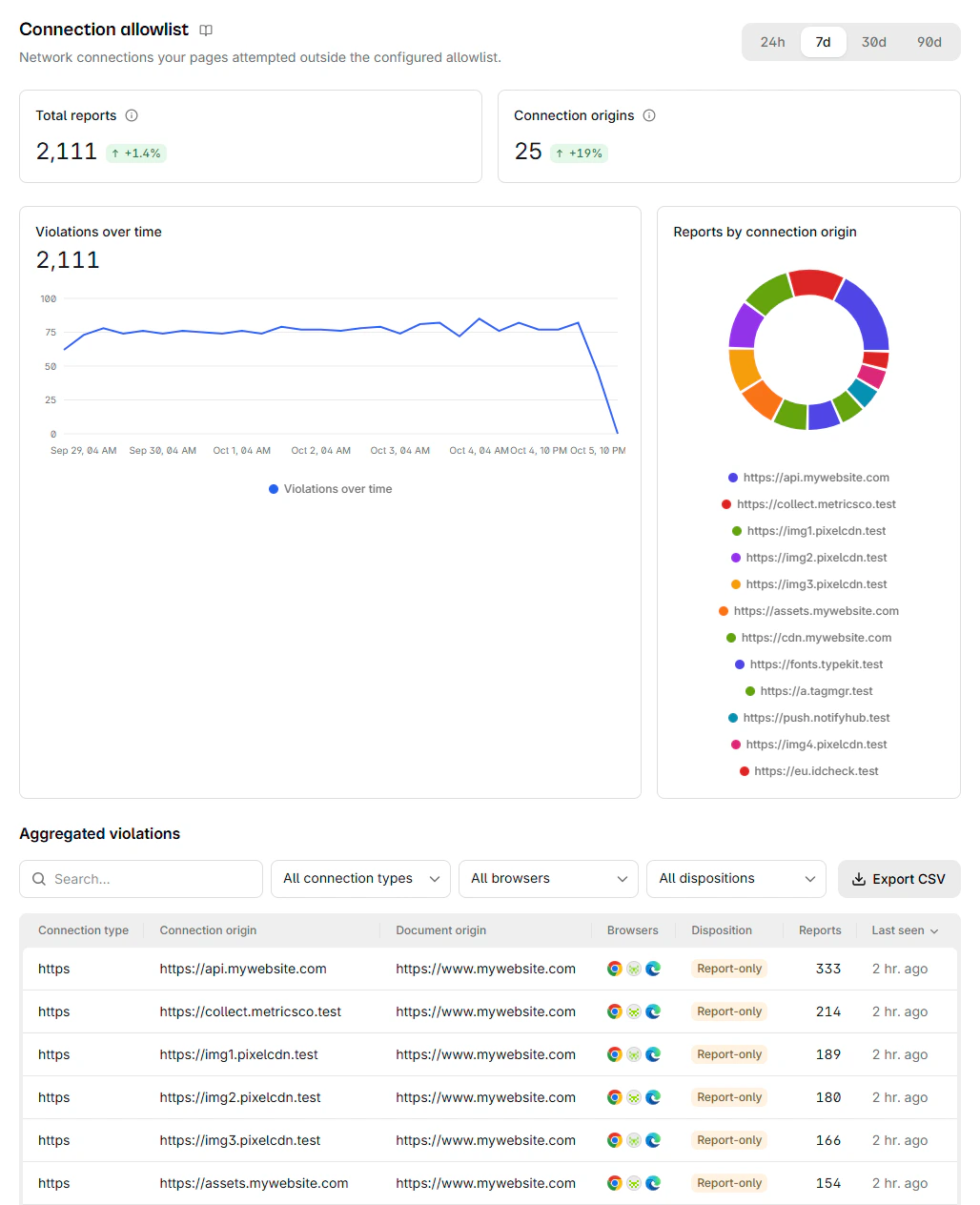
CentralCSP is built on the browser Reporting API and ingests every report type the
browser sends. A connection-allowlist report lands in the same pipeline as your
CSP and COOP/COEP reports. Point Connection-Allowlist-Report-Only at your
CentralCSP endpoint and you can watch blocked and would-be-blocked connections across
real traffic, grouped by destination, the same report-only-first workflow you already
run for CSP. The
Connection-Allowlist builder
then turns those reports into a list you review and deploy. For the supply-chain side of the same problem, see
what Magecart and formjacking are and the
script inventory that tracks what runs
on your pages. Start free to collect the reports.
Next steps
- Read the Connection-Allowlist header reference.
- See the connection-allowlist report fields.
- Build your first list with the Connection-Allowlist builder.
- Lock down egress today with connect-src.
Sources
- WICG, Connection Allowlists
- Chrome for Developers, Connection Allowlists origin trial
- Chrome Platform Status, Connection Allowlists
- MDN, URL Pattern API