If you've received a BitSight finding about Content Security Policy violations, you're not alone. Since the 2025 Ratings Algorithm Update (RAU25), CSP findings have become one of the most critical security issues affecting your BitSight score.The good news? You can fix these findings systematically using CentralCSP's comprehensive toolset. This guide walks you through the exact process, from initial assessment to final deployment.
Understanding your BitSight CSP finding
Before diving into fixes, let's understand what BitSight is actually flagging. The new Web Application Security (WAS) vector doesn't just check if you have a CSP it evaluates how effective your policy actually is.
Common BitSight CSP findings:
Missing CSP header - No Content Security Policy implemented
Weak CSP configuration - Using unsafe keywords like 'unsafe-inline' or 'unsafe-eval'
CSP violations - Resources being blocked by your policy
Overly permissive policy - Using wildcards (*) or allowing HTTP schemes
The severity of these findings has increased dramatically. A CSP violation that might have been a minor issue before RAU25 can now impact your score .
Step 1: Assess your current CSP status
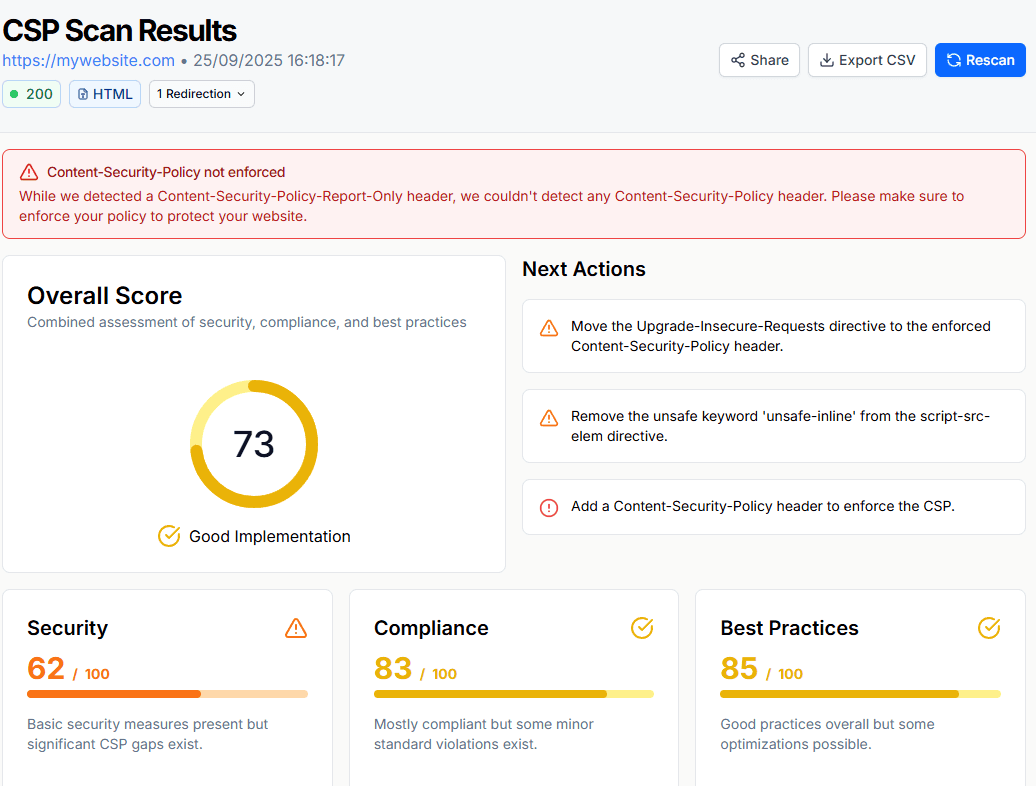
Start by understanding what you're working with. Use CentralCSP's CSP Scanner to audit your existing policy:
CentralCSP Scanner - Comprehensive CSP analysisThe scanner will identify:
Unsafe keywords that need to be removed
Missing directives that should be added
Overly permissive settings that need tightening
Specific recommendations for your policy
JSONP endpoints that should be removed
Other misconfiguration such as missing directives, wrong directives, etc.
Step 2: Collect real violation data
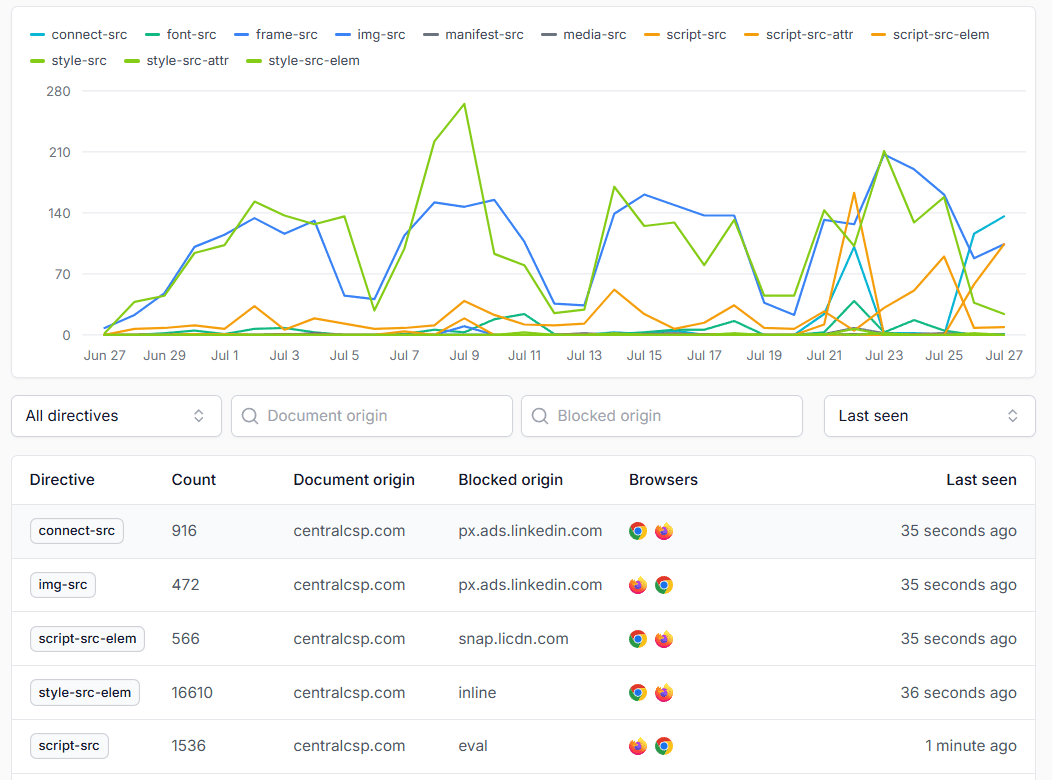
The most effective way to build a proper CSP is to understand what your website actually needs. Instead of guessing, use CentralCSP's reporting system to gather real data.
Set up CSP reporting:
Create a CentralCSP account to get your reporting endpoint
Deploy a strict report-only policy to collect violation data
Monitor for 7-14 days to capture all legitimate resource usage
Example strict report-only policy for data collection
Real-time CSP violation reports in CentralCSP dashboardThis approach ensures you don't break your website while gathering the data needed to build an effective policy.
Step 3: Build your CSP using CentralCSP's Builder
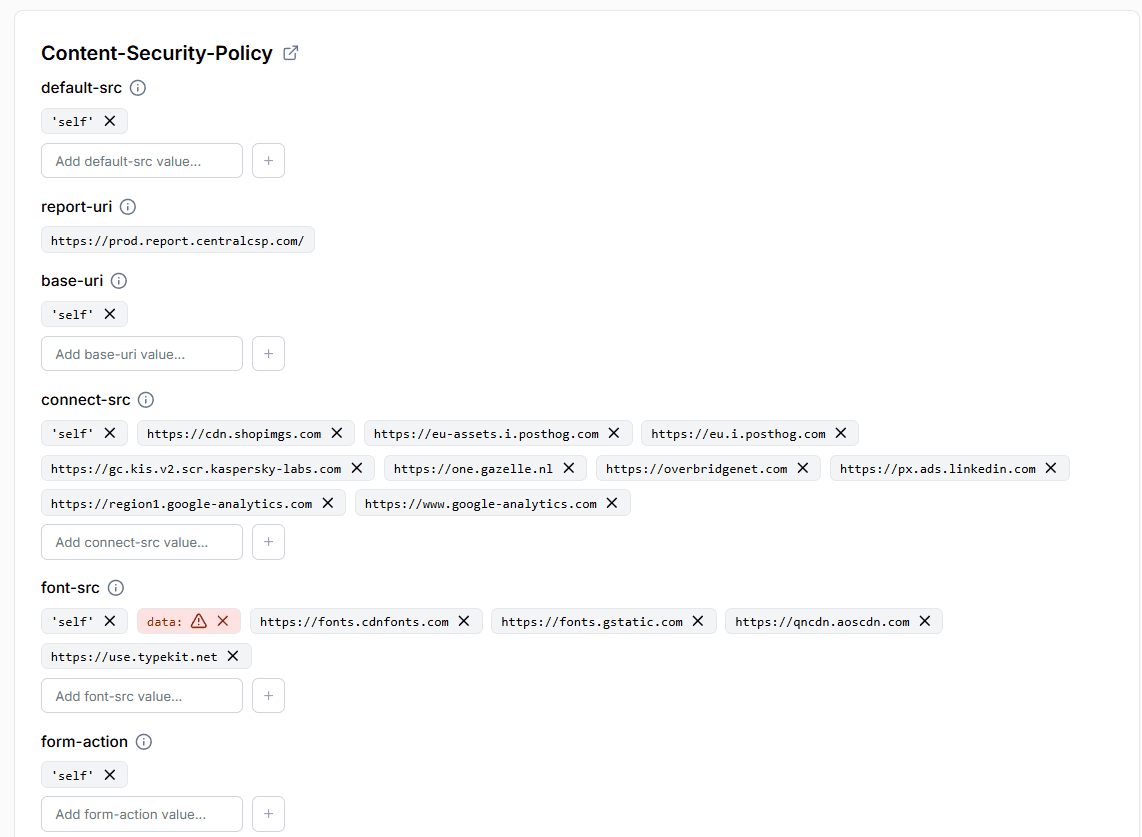
Once you have violation data, use CentralCSP's CSP Builder to generate a policy based on actual usage patterns.
CentralCSP CSP Builder - Generate policies from violation data
How the Builder works:
Import your violation reports from CentralCSP
Review each blocked resource and decide if it's legitimate
Add necessary domains to the appropriate directives
Generate a production-ready policy
The Builder guides you through each decision, ensuring you understand why each resource is being allowed or blocked.
Step 4: Eliminate unsafe keywords systematically
This is where most organizations struggle. Let's tackle the most common unsafe keywords:
Removing 'unsafe-inline'
The Problem:'unsafe-inline' allows inline scripts and styles, which are major XSS attack vectors.CentralCSP Solution: Use our inline script detection to identify all inline code:
Example of inline script that needs to be externalized
// BEFORE (with unsafe-inline)<script>document.getElementById('button').onclick=function(){alert('clicked');}</script>// AFTER (CSP compliant)<script src="/js/button-handler.js"></script>// In button-handler.js:document.getElementById('button').addEventListener('click',function(){alert('clicked');});
Deploy your new policy with Content-Security-Policy-Report-Only header and monitor for any remaining violations. This ensures you don't break functionality while finalizing your policy.
Step 6: Deploy and monitor
Once validated, deploy your CSP in production and set up ongoing monitoring.
The key to fixing BitSight CSP findings is systematic approach: assess, collect data, build properly, validate, and monitor. With CentralCSP's tools, you can transform a failing CSP into a security strength that improves your BitSight score.
Ready to fix your BitSight CSP findings?Start with our free trial and start monitoring your CSP policy today.

 Theotime Quere